How to Transform Variables in SPSS
Transforming variables is an important part of preparing data for analysis in SPSS. Raw datasets are not always ready for statistical testing. Some variables may need to be recoded, grouped, reverse-coded, combined, or calculated before they can answer the research question properly.
This is why many students and researchers search for how to transform variables in SPSS when working on dissertations, assignments, survey analysis, business research, and academic projects. A dataset may contain separate questionnaire items that need to become one scale score. Age may need to be grouped into categories. Negatively worded Likert items may need reverse coding. Text responses may need numeric coding. Continuous variables may also need mathematical transformation when distribution problems affect analysis.
SPSS provides several transformation tools, including Compute Variable, Recode into Different Variables, Automatic Recode, Rank Cases, and other options under the Transform menu. These tools are useful, but they must be applied carefully. A small error in transformation can affect every result that follows.
If you need help preparing variables, recoding values, creating composite scores, or checking whether your SPSS dataset is ready for analysis, Request Quote Now.
What Does It Mean to Transform Variables in SPSS?
To transform variables in SPSS means to create, change, restructure, or recode variables so they fit the analysis you want to run. Transformation helps turn raw data into analysis-ready data.
For example, five questionnaire items measuring customer satisfaction may need to be combined into one average satisfaction score. A continuous age variable may need to be grouped into age bands. A negatively worded survey item may need to be reverse-coded before reliability analysis. A text variable such as “Male” and “Female” may need to be converted into numeric codes.
Variable transformation is not only a software task. It is a research decision. The transformation must match the research objective, the measurement level, and the statistical test. This is why variable transformation connects closely with data analysis help, SPSS analysis help, and how to clean data in SPSS.
Why Variable Transformation Matters in SPSS
Variable transformation matters because statistical analysis depends on correctly prepared variables. If a variable is coded wrongly, grouped poorly, or transformed without a clear reason, the results can become misleading.
For example, if a negatively worded Likert item is not reverse-coded, the final scale score may measure the wrong direction. If age groups are created poorly, group comparisons may lose meaning. If a composite score is created without checking reliability, the final analysis may be based on a weak measure.
In dissertation and thesis work, this affects Chapter 4 directly. The tables may look correct, but the interpretation can still be wrong if the variables were not transformed properly. Correct transformation makes the output easier to interpret, easier to report, and easier to defend.
Table 1. Why Transform Variables in SPSS?
| Transformation need | Example | Why it matters |
|---|---|---|
| Create a new score | Average of five satisfaction items | Produces one analysis-ready variable |
| Group values | Age grouped into age bands | Makes categorical comparison easier |
| Reverse-code items | Negative Likert item corrected | Aligns scale direction |
| Convert text to numbers | Yes = 1, No = 0 | Allows statistical analysis |
| Apply formula | Total cost = item cost + delivery | Creates a meaningful calculated variable |
| Adjust skewness | Log transformation | May improve distribution for some analyses |
Common Types of Variable Transformation in SPSS
SPSS allows different types of transformations depending on the data problem. Some transformations create new variables. Others change categories, reverse values, group ranges, or apply formulas.
The most common transformation methods include computing new variables, recoding variables, reverse-coding Likert items, creating composite scores, transforming skewed variables, converting string variables to numeric variables, and using conditional transformations.
Table 2. Common SPSS Transformation Methods
| SPSS transformation method | What it does | Common use |
|---|---|---|
| Compute Variable | Creates a new variable using a formula | Total scores, averages, ratios |
| Recode into Different Variables | Changes values while keeping original data | Grouping, reverse coding |
| Automatic Recode | Converts string categories into numeric codes | Text-to-number conversion |
| Count Values within Cases | Counts selected responses | Checklist or symptom counts |
| Rank Cases | Creates ranks or percentiles | Ranking scores |
| Visual Binning | Groups scale variables into categories | Age bands, income groups |
When to Use Compute Variable in SPSS
The Compute Variable function is used when you want to create a new variable from one or more existing variables. It is one of the most useful tools in SPSS because many research projects require new calculated variables.
You can use Compute Variable to create mean scores, total scores, percentages, ratios, change scores, or formula-based variables. For example, if a questionnaire has five items measuring academic motivation, you can compute the average motivation score. If a dataset has pre-test and post-test scores, you can compute a change score.
Table 3. Examples of Compute Variable Uses
| Original variables | New computed variable | Example formula |
|---|---|---|
| Q1, Q2, Q3, Q4, Q5 | Satisfaction score | MEAN(Q1, Q2, Q3, Q4, Q5) |
| Sales, Cost | Profit | Sales – Cost |
| Weight, Height | BMI | Weight / Height² |
| Pre-test, Post-test | Change score | Post-test – Pre-test |
| Correct answers, Total items | Percentage score | Correct / Total × 100 |
Steps to Compute a New Variable in SPSS
To compute a new variable, go to Transform → Compute Variable. Enter the name of the new variable in the Target Variable box. Then enter the formula in the Numeric Expression box. After clicking OK, SPSS creates the new variable in Data View.
Table 4. Compute Variable Steps and Expected Result
| Step | What to do in SPSS | Expected result |
|---|---|---|
| 1 | Open Transform → Compute Variable | Compute Variable dialog opens |
| 2 | Enter a target variable name | New variable name is defined |
| 3 | Add formula or function | SPSS knows how to calculate the value |
| 4 | Click OK | New variable appears in Data View |
| 5 | Check descriptives | Confirms the transformation worked |
A clear variable name helps later interpretation. Names such as satisfaction_mean, total_score, change_score, or log_income are easier to understand than unclear names such as newvar1.
When to Recode Variables in SPSS
Recoding is used when existing values need to be changed into new values. It is especially useful when grouping categories, correcting codes, simplifying responses, or preparing variables for statistical tests.
You may need recoding when age must be grouped into categories, Likert items need reverse coding, text responses need numeric values, or small response categories need to be combined.
For safety, Recode into Different Variables is usually better than recoding into the same variable because it keeps the original data unchanged. This is helpful if you need to check or correct the transformation later.
This topic connects closely with how to recode variables in SPSS because recoding is one of the most common transformation tasks in SPSS.
Table 5. When Recoding Is Useful
| Recoding need | Example |
|---|---|
| Group age | 18–25 = 1, 26–35 = 2, 36–45 = 3 |
| Reverse Likert items | 1 becomes 5, 2 becomes 4 |
| Convert categories | Yes = 1, No = 0 |
| Merge categories | Strongly agree + Agree = Agree |
| Define missing values | 99 becomes missing |
Steps to Recode Variables in SPSS
To recode a variable, go to Transform → Recode into Different Variables. Select the original variable, move it into the input box, give the output variable a new name, and define the old and new values. After running the recode, check the new variable using frequencies.
Table 6. Recode Steps and Expected Result
| Step | SPSS action | Result |
|---|---|---|
| 1 | Transform → Recode into Different Variables | Recode dialog opens |
| 2 | Select the original variable | Variable is ready for recoding |
| 3 | Name the output variable | A new variable is created |
| 4 | Define old and new values | SPSS applies the recoding rules |
| 5 | Run Frequencies | Confirms the new categories are correct |
A recoded variable should always be checked. One wrong rule can change the meaning of the result.
How to Reverse-Code Likert Scale Items in SPSS
Reverse coding is needed when some survey items are worded in the opposite direction from other items. This is common in questionnaire research.
For example, a satisfaction scale may include positive items such as “I am satisfied with the service” and negative items such as “I am unhappy with the service.” If both items are not aligned in the same direction, the final scale score may become inaccurate.
For a 1–5 Likert scale, reverse coding usually works like this:
Table 7. Reverse Coding Example for a 1–5 Scale
| Original value | Reversed value |
|---|---|
| 1 | 5 |
| 2 | 4 |
| 3 | 3 |
| 4 | 2 |
| 5 | 1 |
After reverse coding, higher values should consistently represent the same meaning across all items. This is important before reliability testing and composite score creation.
For related support, visit Likert scale analysis help and reliability analysis help.
How to Create Composite Scores in SPSS
A composite score combines several related items into one variable. This is common in dissertation, thesis, and survey research where several questions measure one concept.
For example, five items may measure job satisfaction, academic motivation, customer trust, anxiety, or perceived usefulness. Instead of analyzing every item separately, the researcher may compute a mean score or total score.
Before creating a composite score, check that all items are coded in the same direction. Reverse-code negative items where needed. Then run reliability analysis to confirm that the items work together. After that, use Compute Variable to calculate the mean or sum score.
Table 8. Composite Score Workflow
| Step | Action | Why it matters |
|---|---|---|
| 1 | Identify related items | Confirms which items belong together |
| 2 | Reverse-code negative items | Aligns item direction |
| 3 | Run reliability analysis | Checks internal consistency |
| 4 | Compute mean or sum score | Creates final analysis variable |
| 5 | Check descriptive statistics | Confirms the new score makes sense |
Composite scores should match the theory, questionnaire structure, and reliability results. They should not be created blindly.
How to Transform Skewed Variables in SPSS
Some continuous variables are highly skewed. This means the values are unevenly distributed, often with a long tail. In some analyses, transformation may help reduce skewness or improve model assumptions.
Common transformations include log transformation, square root transformation, reciprocal transformation, and standardization. However, transformation should not be applied automatically. It should make statistical and practical sense.
After transforming a skewed variable, check the new distribution using descriptives, histograms, and normality indicators.
Table 9. Common Transformations for Skewed Variables
| Transformation | Common use | Caution |
|---|---|---|
| Log transformation | Positively skewed variables | Values must be positive |
| Square root transformation | Moderate positive skew | Works best with nonnegative values |
| Reciprocal transformation | Strong skew | Can change interpretation strongly |
| Reflect and transform | Negative skew | Must be handled carefully |
| Standardization | Comparing different scales | Does not fix skewness by itself |
If you are unsure whether a transformation is needed, descriptive statistics help can support the screening stage.
How to Use Conditional Transformations in SPSS
Sometimes a transformation should apply only to selected cases. SPSS allows this through If conditions in Compute Variable or Recode dialogs.
For example, you may compute a score only for participants who completed all required items. You may also recode a variable only for respondents in a specific group. Conditional transformation is helpful when the dataset includes subgroups, incomplete responses, or rules that apply only under certain conditions.
Table 10. Conditional Transformation Examples
| Situation | Example condition |
|---|---|
| Compute score only for adults | age >= 18 |
| Recode only employed respondents | employment = 1 |
| Create high-score group | score >= 75 |
| Assign category using two variables | income > 50000 AND education >= 3 |
Conditional transformations should be checked carefully because they can create missing values or unexpected results if the condition is not written correctly.
How to Transform String Variables Into Numeric Variables
Many statistical tests in SPSS require numeric variables. If your dataset contains string values such as “Male,” “Female,” “Yes,” “No,” “Low,” “Medium,” or “High,” those values may need numeric coding.
This can be done using Automatic Recode or manual recoding. After conversion, value labels should be assigned so the output remains easy to read.
Table 11. String-to-Numeric Transformation Example
| Original string value | Numeric code | Value label |
|---|---|---|
| Male | 1 | Male |
| Female | 2 | Female |
| Yes | 1 | Yes |
| No | 0 | No |
| Low | 1 | Low |
| Medium | 2 | Medium |
| High | 3 | High |
This makes the dataset easier to use for chi-square tests, dummy coding, regression models, group comparisons, and descriptive analysis.
Transforming Variables vs Cleaning Data in SPSS
Variable transformation and data cleaning are closely connected, but they serve different purposes. Data cleaning focuses on correcting problems in the dataset, while variable transformation focuses on creating or changing variables for analysis.
Table 12. Transformation vs Data Cleaning
| Area | Data cleaning | Variable transformation |
|---|---|---|
| Main purpose | Correct data problems | Prepare or create variables |
| Example | Remove duplicate case | Compute total score |
| Example | Check missing values | Recode age into groups |
| Example | Fix invalid code | Reverse-code Likert items |
| Final goal | Clean dataset | Analysis-ready variables |
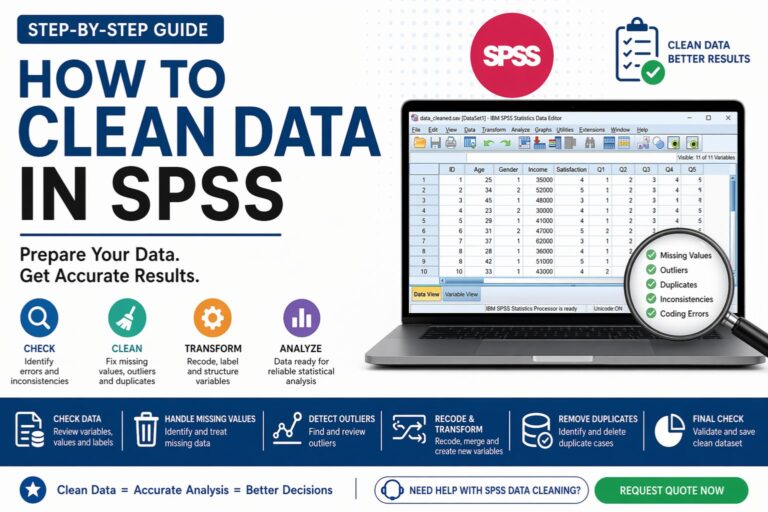
For a broader preparation workflow, visit how to clean data in SPSS.
How to Check Whether a Transformation Worked
After transforming variables, always check the result. Do not assume that SPSS created the variable correctly. Run frequencies for categorical variables and descriptive statistics for scale variables. When possible, compare the new variable with the original one.
Table 13. How to Check Transformation Results
| Variable type | Best check | What to confirm |
|---|---|---|
| Categorical variable | Frequencies | Categories are correct |
| Scale variable | Descriptives | Minimum, maximum, and mean make sense |
| Recoded variable | Crosstabs | Old and new values align |
| Composite score | Descriptives and reliability | Score is valid and consistent |
| Transformed skewed variable | Histogram | Distribution improved if intended |
This step protects your analysis from hidden transformation errors.
Common Mistakes When Transforming Variables in SPSS
One common mistake is overwriting the original variable. This can make it difficult to recover the raw data if something goes wrong. Creating a new variable is usually safer.
Another mistake is reverse-coding Likert items incorrectly. If a negative item is not reversed, the composite score may become misleading. Some students also compute mean scores without checking reliability first, which can weaken the validity of the final analysis.
A third mistake is applying transformations without understanding how they affect interpretation. A transformed variable may improve distribution, but the results must still make sense in the context of the research.
Example: Before and After Variable Transformation
Table 14. Before and After Transformation
| Original issue | Transformation applied | Result |
|---|---|---|
| Five satisfaction items | Compute mean score | One satisfaction variable |
| Age in exact years | Recode into groups | Age category variable |
| Negative Likert item | Reverse coding | Direction aligned |
| Text gender values | Automatic recode | Numeric gender variable |
| Skewed income variable | Log transformation | Adjusted income variable |
A well-transformed dataset is easier to analyze, interpret, and report.
How Variable Transformation Helps Dissertation and Research Writing
In dissertation and research writing, variable transformation helps align the dataset with the research objectives. It also makes Chapter 4 easier to write because the variables used in the analysis are clearer and better structured.
For example, a dissertation may include a hypothesis about the relationship between job satisfaction and employee performance. If job satisfaction is measured using several items, those items may need reverse coding, reliability checking, and composite score creation before correlation or regression can be run.
This is why transformation connects naturally with hypothesis testing help, regression analysis help, Chapter 4 results help, and dissertation data analysis help.
Get Expert Help Transforming Variables in SPSS
SPSS variable transformation can be simple in small datasets, but it becomes more difficult when the project has many survey items, reverse-coded questions, missing values, grouped variables, or several hypotheses. A small mistake at this stage can affect every result that follows.
Expert support can help with computing new variables, recoding categories, reverse-coding Likert items, creating composite scores, checking reliability, transforming skewed variables, preparing dummy variables, and making the dataset ready for analysis.
If you want your SPSS variables prepared correctly before analysis, Request Quote Now.
Why Choose Statistical Analysis Help
Statistical Analysis Help supports students, researchers, and professionals who need clear, accurate, and analysis-ready datasets. The focus is not only on running SPSS procedures but also on preparing variables correctly so the final results are meaningful.
Support can continue from transformation to SPSS analysis help, how to interpret SPSS output, data analysis help, and complete results reporting.
Good variable transformation gives your analysis a stronger foundation. It makes the results easier to understand, easier to explain, and easier to defend.
FAQ: How to Transform Variables in SPSS
What does it mean to transform variables in SPSS?
Transforming variables in SPSS means changing, creating, recoding, or restructuring variables so they are ready for analysis. This can include computing new scores, grouping values, reverse coding, and applying formulas.
Where is the Transform menu in SPSS?
The Transform menu is found in the top menu bar of SPSS. Common options include Compute Variable, Recode into Same Variables, Recode into Different Variables, Automatic Recode, and Rank Cases.
What is Compute Variable used for in SPSS?
Compute Variable is used to create a new variable using a formula, function, or expression. It is commonly used for total scores, mean scores, ratios, percentages, and transformed variables.
Should I recode into the same variable or a different variable?
Recoding into a different variable is usually safer because it preserves the original data. This makes it easier to check or correct mistakes later.
How do I reverse-code Likert items in SPSS?
Use Recode into Different Variables and define the reverse values. For a 1–5 scale, 1 becomes 5, 2 becomes 4, 3 stays 3, 4 becomes 2, and 5 becomes 1.
When should I create a composite score?
Create a composite score when several items measure the same construct and show acceptable reliability. Always check item direction and reliability before computing the final score.
Can SPSS transform skewed data?
Yes. SPSS can apply transformations such as log, square root, reciprocal, and other functions through Compute Variable. The choice depends on the distribution and research purpose.
How do I know if a transformation worked?
Check the new variable using frequencies, descriptive statistics, histograms, crosstabs, or reliability analysis depending on the type of transformation.
Can transforming variables affect my results?
Yes. Transformations can affect statistical results, interpretation, and conclusions. That is why transformations should be planned carefully and checked after they are applied.
Can you help transform my SPSS variables?
Yes. Statistical Analysis Help can support variable transformation, recoding, reverse coding, composite scores, reliability checks, and full SPSS data preparation.
Final Call to Action
Variable transformation is a key part of preparing data for accurate SPSS analysis. When variables are computed, recoded, grouped, or reverse-coded correctly, the results become clearer and easier to interpret. When transformation is done poorly, the analysis can become misleading.
If you need help transforming variables in SPSS, preparing questionnaire data, creating composite scores, or getting your dataset ready for analysis, get expert support today.