
Data Visualization Services
Our Data Visualization Services help businesses, researchers, students, consultants, and organizations turn raw data into clear dashboards, charts, figures, visual reports, and presentation-ready insights. If your data is sitting in Excel, SPSS, Stata, R, Python, Power BI, Tableau, Google Sheets, survey exports, or CSV files, we can help you present it in a way that […]
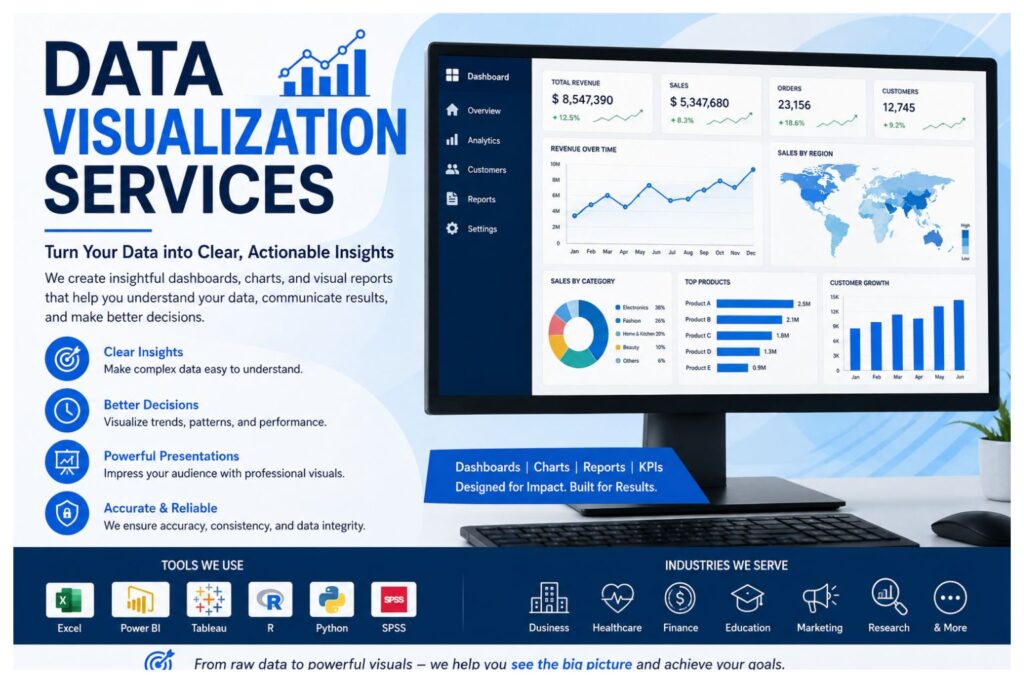
Our Data Visualization Services help businesses, researchers, students, consultants, and organizations turn raw data into clear dashboards, charts, figures, visual reports, and presentation-ready insights. If your data is sitting in Excel, SPSS, Stata, R, Python, Power BI, Tableau, Google Sheets, survey exports, or CSV files, we can help you present it in a way that is easier to understand, explain, and use.
A good visual does more than make data look attractive. It helps people see patterns, compare results, identify trends, detect outliers, explain findings, and make better decisions. Whether you need a business dashboard, dissertation figure, survey summary, KPI report, PowerPoint visual, or academic chart, we create visuals that match your data, audience, and purpose.
Send your dataset, dashboard brief, research objectives, report instructions, survey output, business KPIs, or existing charts. We can create clean graphs, interactive dashboards, visual summaries, report-ready figures, and interpretation notes where needed. You can request one chart, a complete dashboard, a set of research figures, or full visualization support for a business, academic, or research project.
Professional Data Visualization Services for Clearer Decisions
Data becomes valuable when people can understand what it is saying. Raw tables, long spreadsheets, statistical outputs, and survey exports often contain useful findings, but they can be difficult to read without proper visual presentation. Professional data visualization helps turn those numbers into meaningful summaries that support decision-making, reporting, presentation, and analysis.
For businesses, visual reporting can show revenue movement, sales growth, marketing performance, customer behavior, financial changes, staff performance, operational gaps, and progress against targets. Instead of reading several spreadsheet tabs, decision-makers can use a dashboard or visual report to see what needs attention.
For researchers and students, visualization helps present findings in a clear and defensible way. A dissertation findings chapter, thesis report, research presentation, or journal-style report becomes easier to follow when the figures match the research questions and statistical results. Well-designed visuals can make descriptive statistics, survey results, regression outputs, group comparisons, intervention outcomes, and longitudinal findings easier to explain.
Our service combines statistical understanding, chart selection, dashboard design, software skill, data storytelling, and accuracy checking. The goal is simple: make your data clear enough for the right audience to understand and use.
Data Visualization Problems We Help You Solve
Many clients come to us with data but no clear way to present it. Some have analysis results but need professional figures. Others have dashboards that are too crowded, charts that look basic, or reports that depend too heavily on tables.
We help solve problems such as:
- Raw data is difficult to understand.
- Charts look unprofessional or unclear.
- Dashboards have too many visuals and no logical flow.
- Survey results need cleaner summaries.
- SPSS, Excel, Stata, R, Python, or Power BI outputs need better visual presentation.
- Business KPIs are scattered across different files.
- Dissertation or thesis figures need to look cleaner and more consistent.
- A report has many tables but few meaningful visuals.
- Existing charts use the wrong graph type.
- Dashboard filters, labels, titles, or legends are confusing.
- Executives need quick summaries instead of raw spreadsheets.
- Research findings need visuals that match the study objectives.
- Presentation slides need clearer, more professional graphics.
A strong visual should reduce confusion, not add to it. It should guide the reader toward the key message without exaggerating or distorting the data.
What Our Data Visualization Services Include
Our data visualization services cover static charts, interactive dashboards, research figures, KPI summaries, business reports, academic visuals, and presentation graphics. Each project is built around the client’s data type, software, audience, and intended output.
| Service Area | What We Do | Best For |
|---|---|---|
| Dashboard design | Plan dashboard structure, layout, KPIs, filters, and visual hierarchy | Managers, executives, teams, consultants |
| Dashboard development | Build interactive dashboards in tools such as Power BI, Tableau, Excel, or Looker Studio | Business reporting and performance monitoring |
| KPI visualization | Create KPI cards, scorecards, trend visuals, and target comparisons | Executive reports and business dashboards |
| Business intelligence dashboards | Convert operational and business data into usable dashboards | Sales, finance, HR, marketing, operations |
| Research data visualization | Create figures that summarize research findings clearly | Researchers, postgraduate students, academic writers |
| Survey data visualization | Present response patterns, Likert scales, demographics, and cross-tabs | Survey researchers and dissertation students |
| Statistical charts and graphs | Create visuals from descriptive statistics, tests, and model outputs | Quantitative reports and statistical analysis projects |
| Financial data visualization | Visualize revenue, expenses, profit, budget variance, and cash flow | Finance teams and business reports |
| Marketing and sales dashboards | Show campaign performance, leads, conversions, sales, and product trends | Marketing teams, sales teams, consultants |
| Healthcare and public health visuals | Present clinical, patient, public health, and intervention data | Healthcare researchers and public health teams |
| Academic report figures | Prepare clean visuals for dissertations, theses, and research papers | Students and researchers |
| Presentation-ready visuals | Create visuals suitable for PowerPoint, posters, reports, and summaries | Consultants, students, researchers, organizations |
| Data storytelling | Arrange visuals into a logical flow that explains the findings | Reports, presentations, executive summaries |
| Visualization redesign | Improve weak, cluttered, or inaccurate existing visuals | Clients with rough charts or dashboards |
You can order one chart, several report figures, a complete dashboard, a visual report, or visualization support as part of a wider data analysis project.
Data Visualization Consulting for Business, Research, and Academic Projects
Different projects need different types of visuals. A business report may need dashboards and KPI trends. A dissertation may need figures that support research questions. A survey project may need response distributions, demographic summaries, and Likert scale charts. Our data visualization consulting adapts the final output to the purpose of the work.
Business Data Visualization Services
Businesses need visuals that support decisions. We help companies, consultants, managers, and teams create dashboards and visual reports for sales, marketing, finance, HR, operations, customer service, and performance tracking.
Business data visualization may include monthly management dashboards, executive reports, customer analysis, revenue summaries, product performance visuals, regional sales comparisons, marketing campaign dashboards, operational scorecards, and financial summaries. Each visual is designed to help the reader understand what is happening and what may need action.
Research Data Visualization Services
Research data needs careful visual presentation because the wrong chart can weaken the findings. We help researchers create visuals for statistical results, survey data, experimental outcomes, intervention results, public health data, clinical research, longitudinal data, and program evaluation reports.
Research visuals may include descriptive charts, comparison graphs, regression plots, correlation visuals, before-and-after charts, demographic summaries, or time-based trends. We choose graph types based on the research question, measurement level, data structure, and intended report format.
Dissertation and Thesis Data Visualization Support
Dissertation and thesis students often need help turning statistical results into clear findings chapter visuals. We can create graphs and figures from SPSS, Excel, Stata, R, Python, survey exports, and manually organized datasets.
This support is useful when your supervisor, committee, or marking rubric expects professional figures that match the results section. We can also improve charts you have already created by fixing formatting, labeling, scaling, titles, layout, and consistency.
Survey and Questionnaire Visualization
Survey and questionnaire data often includes several types of responses, such as demographics, Likert scales, multiple-choice questions, ranking items, satisfaction scores, and open-ended themes. We help present these results in a way that is easy to read and compare.
Depending on the project, we can create frequency charts, percentage charts, stacked Likert visuals, demographic summaries, cross-tab charts, customer feedback dashboards, satisfaction score visuals, and survey report figures.
Healthcare, Public Health, and Clinical Data Visualization
Healthcare and public health projects often involve sensitive and complex data. We can help visualize patient survey results, clinical research outcomes, public health indicators, intervention results, healthcare performance data, service utilization, program evaluation findings, and population-level trends.
The focus is on clarity, accuracy, and appropriate presentation. Visuals can be prepared for reports, dashboards, proposals, dissertations, presentations, or stakeholder summaries.
Financial, Sales, and Marketing Dashboards
Financial, sales, and marketing teams need visuals that make performance easy to monitor. We can create dashboards and reports for revenue, profit, expenses, budget variance, cash flow, sales growth, lead conversion, customer acquisition, campaign performance, product performance, and regional comparisons.
These dashboards help teams see what is improving, what is declining, and where attention is needed.
Dashboard Design and Dashboard Development Services
A dashboard should not be a random collection of charts. It should help users monitor performance, compare KPIs, identify problems, and make decisions quickly. Good dashboards have clear metrics, clean layout, logical grouping, useful filters, readable labels, and a visual hierarchy that guides attention.
Our dashboard design services focus on planning the structure, metrics, user flow, and reporting purpose. Our dashboard development services focus on building the dashboard in a suitable platform such as Power BI, Tableau, Excel, Google Looker Studio, or another tool depending on the client’s needs.
| Dashboard Type | Common Metrics | Typical Users |
|---|---|---|
| Executive dashboard | Revenue, profit, growth, targets, overall performance, risk indicators | Business owners, directors, senior managers |
| Sales dashboard | Sales volume, revenue, conversion rate, pipeline, top products, regional sales | Sales managers and sales teams |
| Financial dashboard | Expenses, profit margin, budget variance, cash flow, cost trends | Finance teams and managers |
| Marketing dashboard | Campaign performance, leads, traffic, conversions, engagement, ROI | Marketing teams and consultants |
| Operational dashboard | Output, service delivery, workload, delays, efficiency, process status | Operations managers and team leads |
| HR dashboard | Headcount, turnover, attendance, recruitment, training, staff performance | HR teams and managers |
| Research dashboard | Outcomes, study progress, participant summaries, comparison metrics | Researchers and project teams |
| Survey dashboard | Response rates, demographics, satisfaction scores, Likert results | Survey teams and research students |
| Healthcare dashboard | Patient outcomes, health indicators, service metrics, intervention results | Healthcare and public health teams |
| Project dashboard | Timelines, milestones, tasks, costs, risks, completion status | Project managers and stakeholders |
Dashboards can be static, interactive, one-page, multi-page, automated, or designed for periodic reporting. The best option depends on your dataset, reporting frequency, audience, and preferred software.
Tools and Software We Use for Data Visualization
We work with different tools because clients have different data sources and output needs. Some projects only need clean Excel charts. Others require Power BI dashboards, Tableau dashboards, SPSS graphs, Python visuals, Stata outputs, or research figures exported into Word or PowerPoint.
| Tool | Best Use | Example Outputs |
|---|---|---|
| Power BI | Interactive business dashboards and KPI reporting | Executive dashboards, sales dashboards, financial dashboards |
| Tableau | Visual analytics and interactive dashboard development | Customer dashboards, performance dashboards, trend reports |
| Excel | Practical charts, pivot visuals, and simple dashboards | Excel dashboards, summary charts, report visuals |
| Python | Custom visuals and automated analysis workflows | Statistical plots, custom charts, interactive visuals |
| R | Statistical graphics and research visuals | Academic plots, research figures, model visuals |
| SPSS | Statistical charts and research outputs | Frequency charts, crosstab visuals, descriptive graphs |
| Stata | Research and econometric graphics | Scatter plots, line graphs, coefficient plots, panel data visuals |
| Google Looker Studio | Web-based dashboards and shared reporting | Marketing dashboards, traffic reports, KPI dashboards |
| Google Sheets | Lightweight dashboards and collaborative reporting | Shared charts, simple team dashboards |
| NVivo | Qualitative coding summaries where appropriate | Theme summaries, coding visuals, qualitative result displays |
We also support R-based visuals when required, but clients who need ggplot2, RStudio plots, plotly visuals, R Markdown charts, or R-specific academic visualization support can visit our dedicated R Data Visualization Help page.
Types of Data We Can Visualize
We can visualize many types of business, research, and academic data. The right visual depends on what the data represents and what the audience needs to learn from it.
For survey and questionnaire projects, we can visualize demographic data, Likert scale responses, satisfaction ratings, multiple-choice responses, ranking questions, cross-tab results, and open-ended coding summaries. These visuals are useful for dissertations, business surveys, customer feedback reports, employee surveys, and market research projects.
For business projects, we can visualize sales data, marketing data, financial data, HR data, customer data, operational data, web analytics data, KPI data, and performance reports. These visuals help users track results, compare departments, monitor changes, and communicate performance clearly.
For academic and research projects, we can work with SPSS datasets, Excel files, CSV data, Stata outputs, R results, Python outputs, public health data, clinical research data, experimental data, longitudinal data, time-series data, dissertation results, and thesis findings.
For qualitative projects, we can create selected visuals such as theme summaries, coding frequency charts, concept displays, and structured visual summaries where appropriate.
Examples of Visuals We Create
We choose visuals based on the question being answered. A comparison question may need a bar chart. A time-based question may need a line graph. A relationship question may need a scatter plot or regression plot. A performance question may need a dashboard.
For comparison, we may create bar charts, clustered charts, stacked charts, ranked charts, before-and-after visuals, or group comparison figures. These are useful for comparing departments, groups, survey categories, products, regions, or research conditions.
For trends, we may create line graphs, time-series visuals, forecast charts, and moving-average visuals. These work well for revenue, public health indicators, website traffic, clinical outcomes, and longitudinal research data.
For distributions, we may create histograms, box plots, frequency charts, and spread summaries. These visuals help show variation, skewness, outliers, and group-level differences.
For relationships, we may create scatter plots, correlation visuals, regression plots, bubble charts, or model-related figures. These can help explain associations between variables and patterns in statistical results.
For dashboards, we may create KPI cards, slicers, filters, heat maps, maps, funnel charts, waterfall charts, treemaps, performance scorecards, and interactive summary pages.
Pie charts and gauge charts can be used, but only when they genuinely improve understanding. In many projects, a bar chart, KPI card, ranked chart, or dashboard panel communicates the result more clearly.
Our Data Visualization Process
Our process starts with understanding the purpose of the visual. A dashboard for senior management, a dissertation figure, a client report, and a research poster all require different design choices.
First, we review your goal, data, audience, and expected output. You can share your dataset, analysis output, research questions, business KPIs, dashboard brief, report instructions, sample visuals, or presentation format.
Next, we prepare the data where needed. Some files require cleaning, restructuring, coding, labeling, filtering, or summary calculations before they can be visualized properly. If your data is already clean, we move directly to chart and dashboard planning.
We then choose suitable metrics and chart types. This step is important because the wrong chart can hide the finding or mislead the reader. We select visuals based on whether the goal is to compare, rank, show change over time, display distribution, present relationships, or summarize performance.
After that, we design the chart, dashboard, or visual report. We add clear titles, labels, legends, filters, axis settings, colors, annotations, and explanations where needed. We also review layout so that the most important information is easy to find.
Before delivery, we check the output for accuracy, clarity, consistency, and export quality. If revisions are part of the agreed scope, we update the visuals based on feedback and deliver the final files in the required format.
Quality Checks Before Delivery
Attractive visuals are not enough. A chart can look polished but still be wrong if the calculation, label, scale, filter, or graph type is incorrect. That is why quality checking is an important part of our data visualization service.
Depending on the project, we check:
- Calculations and summaries.
- Axis labels and chart titles.
- Legends and category names.
- Chart type suitability.
- Scale and proportion.
- Filters, slicers, and dashboard interactions.
- KPI definitions.
- Formatting consistency.
- Readability for the intended audience.
- Export quality for reports and presentations.
- Alignment with the report, dashboard brief, or research objective.
- Whether the visual supports the intended message without misleading the reader.
These checks help ensure that the final output is clear, accurate, and suitable for use.
What You Receive
Your deliverables depend on the scope of your project. Some clients need a single polished chart. Others need a full dashboard, a visual report, or several figures for a dissertation or business presentation.
Depending on the project, you may receive:
- Clean charts and graphs.
- Static report figures.
- Interactive dashboards.
- KPI summaries.
- Visual reports.
- Editable Excel, Power BI, Tableau, Python, R, or other project files where applicable.
- Exported PNG, JPEG, PDF, PowerPoint, or Word-ready visuals.
- Dashboard layouts.
- Interpretation notes.
- Chart improvement recommendations.
- Data storytelling structure.
- Academic or report-ready figures.
- Revised visuals based on agreed feedback.
- Dashboard documentation where needed.
If you already have visuals, we can improve them by correcting chart choices, simplifying cluttered layouts, improving labels, adjusting scales, refining titles, and making the output more suitable for your report or presentation.
Why Choose StatisticalAnalysisHelp.com for Data Visualization?
Data visualization requires more than design. A good visual must also respect the meaning of the data. That is why our service combines statistical understanding, research experience, software knowledge, and practical reporting skills.
A designer may create attractive visuals without understanding the analysis. A statistician may create technically correct graphs that are hard for non-technical readers to understand. We focus on both accuracy and clarity, so your final output is useful for the person who needs to read it.
Clients choose StatisticalAnalysisHelp.com because we support:
- Business, academic, research, and professional projects.
- Multiple tools, including Excel, SPSS, Stata, Power BI, Tableau, Python, R, and Google-based tools.
- Messy, cleaned, raw, or partly analyzed datasets.
- Dashboard and report-ready outputs.
- Static and interactive visuals.
- Clear explanation of visual findings where needed.
- Custom visuals based on audience, purpose, and data type.
- Confidential handling of project files.
- Editable deliverables where applicable.
- Revisions based on agreed project scope.
- Simple and complex data visualization needs.
Our focus is to help you present data clearly, professionally, and confidently.
Data Visualization Services vs Basic Chart Making
Basic chart making and professional data visualization are not the same. A basic chart may display data, but a professional visual explains it clearly and supports the reader’s next step.
| Basic Chart Making | Professional Data Visualization Services |
|---|---|
| Uses default chart settings | Designs visuals around the goal, audience, and message |
| Creates a chart without much planning | Selects metrics and chart types based on the data |
| May use the wrong visual format | Matches chart type to the question being answered |
| Focuses mostly on appearance | Balances accuracy, clarity, and design |
| Often lacks interpretation | Supports explanation, reporting, and decision-making |
| May be cluttered or inconsistent | Uses clean layout and consistent formatting |
| Does not always check calculations | Reviews summaries, labels, and visual logic |
| Produces isolated charts | Can create full dashboards, visual reports, or data stories |
| May not fit the report format | Prepares visuals for reports, presentations, dashboards, or academic work |
| Can confuse non-technical readers | Makes findings easier for the intended audience to understand |
The purpose is not just to make the data look better. The purpose is to make the result easier to understand, defend, present, and use.
Confidentiality, Data Handling, and Client Support
We understand that datasets, research files, business reports, and academic projects may contain sensitive information. Client files are handled confidentially and used only for the requested project.
You can share raw data, cleaned data, partial files, exported analysis outputs, dashboard examples, branding instructions, research objectives, report templates, rubrics, or presentation requirements. If your file includes sensitive details, you may anonymize names, IDs, addresses, patient identifiers, or company-specific information before sending it.
We can work with simple files, complex datasets, rough charts, existing dashboards, or exported results. Communication focuses on scope, timeline, deliverables, preferred software, and the final format you need.
Who Needs Our Data Visualization Services?
Our data visualization services are useful for clients who need clearer charts, dashboards, figures, reports, or visual summaries.
Business owners can use the service to monitor revenue, costs, customers, sales, and performance. Managers can use dashboards to track KPIs and team progress. Consultants can use visual reports to present findings to clients. Researchers can use clean figures to communicate results. Students can use professional charts in dissertations, theses, reports, and presentations.
The service is also suitable for healthcare researchers, public health teams, marketing teams, sales teams, finance teams, HR teams, nonprofits, program evaluation teams, survey researchers, startups, academic writers, and small businesses.
If your data needs to be easier to read, explain, or present, professional visualization can help.
Data Visualization for Reports, Dashboards, Presentations, and Publications
The format of a visual should match where it will be used. A dashboard needs interactivity and quick scanning. A dissertation figure needs clarity and consistency. A PowerPoint visual needs to be simple enough for an audience to understand quickly. A business report may need executive-level summaries and supporting detail.
We can prepare visuals for:
- Word reports.
- Dissertation chapters.
- Thesis findings chapters.
- Business reports.
- PowerPoint presentations.
- Dashboard files.
- Research posters.
- Journal-style figures.
- Executive summaries.
- Board reports.
- Client reports.
- Monitoring and evaluation reports.
- Program evaluation reports.
- Market research reports.
- Academic presentations.
For academic and research projects, the visuals should support the research questions, findings, and interpretation. For business projects, they should support monitoring, comparison, and decision-making. For presentations, they should communicate the main point quickly and clearly.
Need R-Specific Data Visualization Help?
If you specifically need RStudio, ggplot2, plotly, R Markdown visuals, or R-based academic plots, visit our dedicated R Data Visualization Help page. That page focuses on R-specific visualization support in more detail.
Frequently Asked Questions About Data Visualization Services
What are data visualization services?
Data visualization services help turn raw data, cleaned datasets, survey results, statistical outputs, or business records into clear charts, dashboards, figures, and visual reports. The goal is to make data easier to understand, explain, and use.
What types of dashboards can you create?
We can create executive dashboards, sales dashboards, financial dashboards, marketing dashboards, HR dashboards, operational dashboards, survey dashboards, research dashboards, healthcare dashboards, and project dashboards. The dashboard type depends on your KPIs, audience, data source, and reporting goal.
Can you visualize survey or questionnaire data?
Yes. We can visualize survey and questionnaire data using demographic charts, response distribution visuals, Likert scale charts, cross-tab summaries, satisfaction dashboards, and report-ready figures.
Do you provide Power BI and Tableau dashboards?
Yes. We can support Power BI dashboards and Tableau dashboards depending on your project requirements. We can also work with Excel dashboards, Google Looker Studio dashboards, and other suitable tools.
Can you create charts for dissertation or thesis results?
Yes. We can create charts and figures for dissertation and thesis findings chapters. This may include descriptive charts, survey visuals, statistical graphs, comparison charts, regression plots, and presentation-ready figures.
Can you improve visuals I already created?
Yes. We can improve existing charts or dashboards by fixing layout, titles, labels, chart types, legends, colors, axis scaling, formatting, and overall readability. We can also make visuals more suitable for reports, presentations, or academic work.
Which tools do you use for data visualization?
We can work with Excel, Power BI, Tableau, SPSS, Stata, Python, R, Google Sheets, Google Looker Studio, and other tools depending on the project. The best tool depends on your data format, output needs, and whether you need static visuals or interactive dashboards.
Can you explain the charts and dashboards after creating them?
Yes. Where required, we can provide interpretation notes or brief explanations to help you understand the visual findings. This is useful for students, researchers, managers, and clients who need to present the results.
Can you visualize SPSS, Excel, Stata, R, or Python data?
Yes. We can visualize data from SPSS, Excel, Stata, R, Python, CSV files, survey exports, and other common formats. You can send the data file or exported results, and we can advise on suitable visuals.
Can you create both static charts and interactive dashboards?
Yes. Static charts are useful for Word reports, dissertations, theses, PDFs, PowerPoint presentations, posters, and publications. Interactive dashboards are useful for filtering data, monitoring KPIs, and exploring results.
Can you help choose the best chart type for my data?
Yes. We can help choose suitable chart types based on your data, research questions, business goals, audience, and reporting format. The right chart type makes findings clearer and reduces the risk of misinterpretation.
How do I order data visualization services?
Send your dataset, dashboard brief, research objectives, report instructions, survey output, business KPIs, software file, preferred visual format, and deadline. We will review the scope and guide you on the best way to proceed.
Order Professional Data Visualization Services
Order our Data Visualization Services if you need clean dashboards, charts, research figures, survey visuals, KPI reports, or presentation-ready graphics from your data. You can send your dataset, SPSS/Excel/Stata/R/Python files, business KPIs, survey output, dashboard brief, research objectives, report instructions, sample visual style, preferred format, and deadline.
We can support one chart, a set of report figures, a business dashboard, an academic findings chapter, a research presentation, or a complete visualization project. Whether your data is raw, cleaned, analyzed, or already partly visualized, we can help you turn it into clearer and more useful visuals.