
RStudio Help
Expert RStudio Help for Clean Code, Accurate Output, and Clear Results RStudio is a powerful environment for working with data, but it can become stressful when the code, dataset, packages, and statistical method all have to work together. A small coding error, wrong variable type, missing package, or unsuitable model can affect the entire analysis. […]
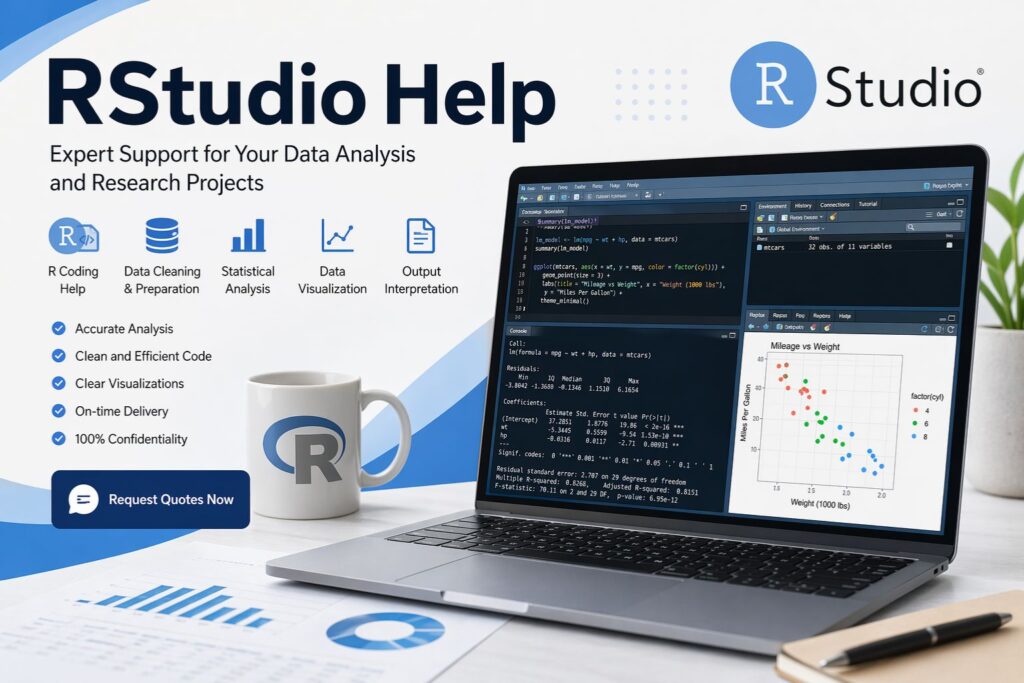
Expert RStudio Help for Clean Code, Accurate Output, and Clear Results
RStudio is a powerful environment for working with data, but it can become stressful when the code, dataset, packages, and statistical method all have to work together. A small coding error, wrong variable type, missing package, or unsuitable model can affect the entire analysis. Many students and researchers know what they want to achieve, but they get stuck when RStudio does not produce the expected result.
At StatisticalAnalysisHelp.com, we provide expert RStudio help for assignments, research projects, thesis work, dissertations, and professional reports. Our support focuses on RStudio-based tasks such as data importing, cleaning, coding, statistical analysis, graph creation, output interpretation, and results reporting.
This service is best for clients who need help completing work inside RStudio. For broader statistical support, you can also visit our Statistical Analysis Help page. For full project analysis beyond one software tool, our Data Analysis Help service may also be useful.
Request Quotes Now to get clear RStudio support based on your dataset, deadline, and project requirements.
What Our RStudio Help Covers
RStudio projects often involve more than one task. Some clients only need help fixing an error. Others need full support from raw data to final output. We adjust the support based on the exact work required, so your project receives the right level of help without unnecessary extras.
| RStudio Support Area | What We Help With |
|---|---|
| Data Import | Loading Excel, CSV, SPSS, Stata, and text files into RStudio |
| Data Cleaning | Handling missing values, recoding variables, filtering data, and restructuring datasets |
| R Coding | Writing, correcting, organizing, and explaining R scripts |
| Statistical Analysis | Running suitable analyses based on your research questions or assignment instructions |
| Data Visualization | Creating graphs using base R, ggplot2, and other R packages |
| Error Fixing | Resolving package errors, syntax problems, object errors, and data structure issues |
| Output Interpretation | Explaining tables, p-values, coefficients, model summaries, and graphs |
| Report Writing | Presenting findings clearly for assignments, research papers, dissertations, or reports |
The main goal is to help you move from confusion to a complete and understandable result. The final work should not only run in RStudio. It should also make sense statistically and be clear enough to present.
Why RStudio Support Matters
Many RStudio problems begin before the actual analysis starts. The dataset may have missing values, incorrect variable formats, unclear labels, duplicate records, or categories that need recoding. When these issues are ignored, the final analysis may produce errors or misleading results.
In other cases, the code may run, but the output may still be difficult to understand. A regression model, ANOVA table, correlation matrix, or visualization may show results, but the meaning must still be explained clearly. This is especially important in academic work, where results need to connect directly to the research questions, hypotheses, and marking criteria.
Professional RStudio support helps connect the technical side of R with the meaning of the analysis. That means the code, output, graphs, and interpretation work together instead of standing as separate pieces.
RStudio Help for Assignments
RStudio assignments often require students to show both technical skill and statistical understanding. A lecturer may ask for an R script, output, charts, explanations, and a short written report. This can become difficult when the instructions are detailed or when the dataset needs cleaning before analysis.
We help with RStudio assignments by reviewing the task, preparing the data, running the required procedures, organizing the output, and explaining the findings in clear language. Support can include descriptive statistics, charts, hypothesis tests, regression models, and interpretation depending on the assignment brief.
If your assignment is broader and not limited to RStudio, you may also find our Data Analysis Assignment Help page useful. This RStudio page remains focused on work completed using RStudio and R scripts.
RStudio Help for Research Projects
Research projects require careful analysis because the results must match the purpose of the study. RStudio can be used to prepare datasets, summarize variables, test relationships, compare groups, build models, and create visual results. However, the software only produces useful results when the analysis plan is correct.
We help researchers use RStudio to organize data, run suitable analyses, check outputs, and explain findings in a way that supports the study objectives. This is useful for academic research, business research, survey studies, health studies, education projects, psychology research, and social science work.
Where the project involves broader statistical planning, our Research Statistics Help page can support the wider method selection and reporting process. This RStudio service focuses on execution, coding, output, and interpretation inside RStudio.
RStudio Help for Dissertation and Thesis Projects
Dissertation and thesis projects often require a complete and carefully structured workflow. The analysis must connect to the research questions, hypotheses, variables, and methodology chapter. RStudio can support this process by helping with data cleaning, assumption checks, statistical testing, modeling, visualization, and results presentation.
We help dissertation and thesis clients prepare RStudio-based analysis that is accurate, organized, and easier to explain. Support may include cleaning the dataset, preparing the R script, running statistical tests, generating tables and graphs, interpreting the output, and writing results in a clear academic style.
This support is especially useful when you already know that RStudio is required or preferred for your project. If your main concern is the full dissertation results chapter, you may also need broader support through a dedicated dissertation or chapter-based service page.
RStudio Data Cleaning Help
Data cleaning is one of the most important parts of any RStudio project. If the dataset is not prepared properly, the analysis can fail or produce results that are difficult to trust. Common problems include missing values, inconsistent categories, incorrect date formats, numeric variables stored as text, duplicate cases, and poorly coded survey responses.
We help clean and prepare datasets so they are ready for analysis in RStudio. This may involve checking variable types, recoding categories, renaming columns, removing unnecessary records, creating new variables, merging datasets, reshaping data, and reviewing unusual values.
| Data Cleaning Task | Why It Matters |
|---|---|
| Missing Value Checks | Prevents incomplete or biased analysis |
| Variable Recoding | Makes variables suitable for statistical testing |
| Data Filtering | Keeps the analysis focused on relevant cases |
| Data Merging | Combines datasets accurately using common identifiers |
| Type Conversion | Ensures RStudio reads variables correctly |
| Outlier Review | Helps identify unusual values before modeling |
| Label Cleaning | Makes output easier to understand and report |
A clean dataset saves time and reduces avoidable errors during analysis.
RStudio Coding Help
RStudio coding can be challenging because one small mistake can stop the entire script. Errors may occur because of missing brackets, incorrect function names, package conflicts, undefined objects, wrong data types, or inconsistent column names. These issues can be frustrating, especially when the deadline is close.
We help write, correct, organize, and explain R scripts. The aim is to produce code that runs correctly and is easier to follow. Clean code also makes the analysis easier to revise later if the instructor, supervisor, or client requests changes.
| Coding Problem | Support Provided |
|---|---|
| Package Errors | Installing, loading, and troubleshooting R packages |
| Syntax Errors | Fixing incomplete or incorrect code |
| Object Errors | Resolving “object not found” and naming problems |
| Function Errors | Correcting arguments and package-specific commands |
| Data Type Issues | Converting variables into the correct format |
| Script Organization | Making code readable and easier to review |
This support is useful for students, researchers, and professionals who need practical help with real RStudio scripts.
RStudio Statistical Analysis Help
RStudio can be used for many statistical procedures, but the correct analysis depends on the research question, variable type, sample size, and assumptions. Running the wrong test can lead to weak or incorrect conclusions, even if the code works.
We help run and interpret statistical analysis in RStudio, including descriptive statistics, correlation, t-tests, ANOVA, chi-square tests, linear regression, multiple regression, logistic regression, nonparametric tests, reliability analysis, and other common procedures.
For method-specific support, you can also use related pages such as Regression Analysis Help, Hypothesis Testing Help, and Inferential Statistics Help. This RStudio service focuses on applying those methods correctly inside RStudio.
RStudio Graphs and Data Visualization Help
Graphs make analysis easier to understand when they are created correctly. RStudio is excellent for visualization because it supports both simple charts and advanced graphics through packages such as ggplot2. However, the graph must match the data and the message behind the result.
We help create clear RStudio graphs for assignments, reports, dissertations, and research projects. This may include bar charts, histograms, boxplots, scatterplots, line graphs, grouped charts, and polished ggplot2 visuals.
| Graph Type | Best Use |
|---|---|
| Bar Chart | Comparing categories or group frequencies |
| Histogram | Showing the distribution of a numeric variable |
| Boxplot | Comparing spread across groups |
| Scatterplot | Showing relationships between two variables |
| Line Graph | Showing trends over time |
| ggplot2 Chart | Creating polished and flexible visuals |
If your project is mainly about visualization, our R Data Visualization Help page can support that narrower need.
RStudio Output Interpretation
RStudio output can be difficult to understand when it includes several values at once. A model summary may show estimates, standard errors, test statistics, p-values, confidence intervals, residuals, and fit measures. Without proper interpretation, the output may not answer the research question clearly.
We help explain RStudio output in simple, accurate language. This includes explaining what the results show, whether the findings are statistically significant, how the variables relate to each other, and what the findings mean for the assignment, dissertation, or research project.
Clear interpretation is especially important in academic work because tables alone are not enough. The results must be written in a way that shows understanding and links back to the purpose of the study.
Pricing for RStudio Help
RStudio help is priced based on the actual scope of work. A short code fix is not the same as a full dissertation analysis. A simple assignment with one dataset and a few questions costs less than a complex project with multiple models, graphs, assumptions, and written reporting.
| Pricing Level | Typical Scope |
|---|---|
| Basic Support | Small code fix, error review, or brief output explanation |
| Standard Assignment | Data cleaning, analysis, graphs, and interpretation |
| Advanced Analysis | Multiple models, assumption checks, and detailed output |
| Dissertation or Thesis Support | Full RStudio workflow with results, tables, graphs, and explanation |
| Urgent Support | Priority work for short deadlines |
To receive an accurate quote, share your dataset, instructions, deadline, required format, and any specific output needed. This keeps the price fair and aligned with the actual workload.
Request Quotes Now to receive a clear price for your RStudio task.
Our RStudio Help Process
A strong RStudio workflow should be organized from the beginning. This helps prevent confusion, repeated errors, and unclear output. Once your files are reviewed, the next step is to identify the exact work needed and prepare a structured plan for completing it.
| Step | What Happens |
|---|---|
| 1. Requirement Review | Your task, dataset, deadline, and instructions are checked |
| 2. Data Inspection | Variables, missing values, labels, and structure are reviewed |
| 3. RStudio Setup | Packages, scripts, and analysis workflow are prepared |
| 4. Analysis Execution | Required procedures are run in RStudio |
| 5. Output Review | Tables, graphs, and model results are checked |
| 6. Interpretation | Results are explained in clear language |
| 7. Final Delivery | Files are prepared according to the agreed requirements |
This process gives the work a clear direction from start to finish.
What You Can Send for a Quote
The best quote is based on clear project details. You can send the assignment brief, dataset, research questions, hypotheses, marking rubric, supervisor comments, deadline, and required format. If you already have RStudio code or output, you can send that too.
These details help identify whether you need a small correction, full analysis, written interpretation, or a complete RStudio workflow. They also help avoid unnecessary delays and make the final result more accurate.
What You Can Receive
The final deliverables depend on your project requirements. Some clients need only corrected code, while others need a full package that includes the dataset, output, visuals, interpretation, and written results.
| Deliverable | Description |
|---|---|
| R Script | Clean and organized R code |
| Corrected Code | Fixed and improved script |
| RStudio Output | Tables, summaries, models, and results |
| Graphs | Visuals for assignments, reports, or dissertations |
| Cleaned Dataset | Prepared data ready for analysis |
| Interpretation | Clear explanation of findings |
| Written Results | Results section for academic or professional use |
| Code Notes | Explanation of what the script does |
This makes the support flexible enough for simple and advanced RStudio tasks.
Authority and Quality Standards
RStudio work should be accurate, reproducible, and clearly explained. We follow a careful workflow that checks the dataset, code, statistical method, output, and interpretation before final delivery. The aim is to reduce avoidable errors and make the results easier to understand.
RStudio projects often rely on trusted tools and documentation, including the R Project, Posit RStudio, CRAN, and ggplot2. These resources support reliable coding practices, package use, and visualization standards.
Strong RStudio support combines software skill, statistical knowledge, and clear communication. That balance is what makes the final work more useful.
Why Choose Statistical Analysis Help for RStudio Support?
Choosing the right RStudio support matters because the final result must be technically correct and easy to explain. Code that runs is useful, but it is not enough if the analysis does not answer the task. Output is helpful, but it must be interpreted correctly. Graphs are valuable, but they must communicate the right message.
At StatisticalAnalysisHelp.com, the focus is on practical RStudio support that fits your actual project. The work is shaped around your dataset, instructions, deadline, and expected deliverables.
| What You Need | How We Help |
|---|---|
| Accurate Code | Scripts are prepared or corrected carefully |
| Clean Data | Dataset issues are reviewed before analysis |
| Suitable Analysis | Statistical procedures are matched to the task |
| Clear Output | Tables and models are organized for review |
| Strong Visuals | Graphs are created to support the findings |
| Better Interpretation | Results are explained in clear language |
| Submission Support | Deliverables are prepared according to your requirements |
This makes the service useful for students, researchers, dissertation writers, and professionals who need dependable RStudio help.
Request RStudio Help Today
RStudio work becomes easier when the code, data, analysis, and interpretation are handled together. Whether your task is a short assignment, a difficult coding issue, a research project, or a dissertation analysis, expert support can help you complete the work more confidently.
Share your dataset, instructions, deadline, and required deliverables. You will receive a clear quote based on the real scope of work.
Request Quotes Now and get professional RStudio help tailored to your project.
Frequently Asked Questions
What is RStudio help?
RStudio help is support with using RStudio for data cleaning, coding, statistical analysis, graphs, output interpretation, assignments, dissertations, research projects, and reports.
Can you help me fix RStudio errors?
Yes. We can help fix package errors, syntax errors, object errors, function errors, data type issues, and other problems that stop your RStudio code from working correctly.
Can you help with RStudio assignments?
Yes. We help with RStudio assignments that require code, output, graphs, interpretation, and written explanations based on the assignment instructions.
Can you help with dissertation analysis in RStudio?
Yes. We can support RStudio-based dissertation and thesis analysis, including data cleaning, statistical testing, model output, graphs, and results explanation.
Do you provide R scripts?
Yes. Depending on the project, we can provide clean R scripts, corrected code, and notes explaining what the code does.
Can you create graphs in RStudio?
Yes. We can create bar charts, histograms, boxplots, scatterplots, line graphs, grouped charts, and ggplot2 visuals depending on the data and project requirements.
Can you interpret RStudio output?
Yes. We can explain descriptive statistics, p-values, coefficients, confidence intervals, model summaries, charts, and test results in clear language.
How much does RStudio help cost?
The cost depends on the complexity of the task, dataset size, number of analyses, deadline, and required deliverables. A simple code fix costs less than a full dissertation analysis.
What should I send for a quote?
Send your dataset, assignment brief, research questions, hypotheses, deadline, rubric, supervisor comments, and any existing RStudio code or output.
Is RStudio help different from general data analysis help?
Yes. RStudio help focuses on work completed inside RStudio, including R code, packages, data preparation, output, graphs, and interpretation. General data analysis help is broader and may involve different tools or full project planning.
Need SPSS analysis or dissertation support?
Response in under 2 hours on business days.
Need statistical analysis help?
Our expert team delivers accurate, dissertation-ready statistical results — fast. SPSS, R, Stata, and more.